Stop Thermal Throttling: Recover 18% Performance on 3nm Chips
Advertisements
Effectively stopping thermal throttling is crucial for maximizing the performance of modern 3nm chips, enabling significant compute power recovery and extending the lifespan of high-performance devices.
In the relentless pursuit of technological advancement, modern 3nm chips offer unprecedented power and efficiency. However, this immense capability often comes with a significant challenge: thermal throttling. Learning to stop thermal throttling is paramount for anyone looking to unlock the full potential of these cutting-edge processors and ensure sustained, optimal performance. This article delves into the critical tweaks and strategies that can recover a substantial 18% of compute performance on these advanced chips.
Understanding Thermal Throttling in 3nm Chips
Thermal throttling is a protective mechanism designed to prevent semiconductor components from overheating and sustaining permanent damage. When a chip reaches a certain temperature threshold, its performance is automatically reduced to lower heat generation. This phenomenon is particularly prevalent in modern 3nm chips, which pack an astonishing number of transistors into a minuscule area, leading to higher power density and, consequently, increased heat output.
The miniaturization of transistors to 3 nanometers allows for incredible processing power, but it also amplifies the challenge of heat dissipation. As devices become thinner and more compact, the available space for robust cooling solutions diminishes, making thermal management a critical design consideration. Understanding the underlying physics of heat generation and transfer within these tiny structures is the first step toward effective mitigation.
The Physics Behind Overheating
Heat in semiconductors is primarily generated by electrical resistance as current flows through transistors. The smaller the transistors, the greater the current density, which can lead to localized hotspots. These hotspots are particularly problematic in 3nm chips due to their incredibly dense architecture.
- Increased Transistor Density: More transistors in a smaller area mean more points of heat generation.
- Higher Clock Speeds: Pushing chips to operate at faster frequencies demands more power, which translates directly into more heat.
- Voltage Fluctuations: Inefficient power delivery or transient voltage spikes can also contribute to sudden temperature increases.
The delicate balance between performance and temperature is constantly being managed by the chip's internal sensors and firmware. When temperatures rise above safe operating limits, the system actively intervenes by reducing clock speeds, voltage, or even disabling certain cores, all to prevent irreversible damage. This protective measure, while essential for longevity, directly impacts the user experience by slowing down applications and reducing overall responsiveness.
Impact of Thermal Throttling on Performance
The consequences of thermal throttling extend far beyond a momentary slowdown. For users of high-performance computing devices, especially those engaged in intensive tasks like gaming, video editing, or scientific simulations, thermal throttling can severely degrade productivity and user satisfaction. The advertised peak performance of a 3nm chip can become an elusive dream if not properly managed.
Studies and real-world benchmarks consistently show a measurable drop in performance when thermal throttling kicks in. This can manifest as stuttering in games, prolonged rendering times, or general system unresponsiveness. For instance, a chip designed to operate at 4.0 GHz might consistently run at 3.0 GHz or even lower under load, effectively negating a significant portion of its potential. Recovering even a fraction of this lost performance can make a substantial difference in practical applications.
Quantifying Performance Loss
The 18% performance recovery mentioned earlier is not an arbitrary figure; it represents a realistic gain achievable through a combination of hardware and software optimizations. This percentage can vary depending on the specific chip, its cooling solution, and the workload. However, it underscores the substantial headroom lost due to inadequate thermal management.
- Gaming Performance: Noticeable frame rate drops and inconsistent gameplay experiences.
- Content Creation: Slower render times for video, 3D models, and complex graphic designs.
- Scientific Computing: Extended computation periods for simulations and data analysis.
The cumulative effect of these performance losses can be significant over time, impacting deadlines, creative workflows, and competitive gaming. Addressing thermal throttling is not merely about achieving peak benchmarks; it's about ensuring a consistent and reliable user experience that aligns with the premium investment in 3nm technology.
Hardware-Based Optimization Tweaks
Optimizing hardware is a foundational step to effectively stop thermal throttling. While software tweaks can provide significant gains, the physical ability of a device to dissipate heat ultimately sets the ceiling for performance. Modern 3nm chips demand cutting-edge cooling solutions to maintain their operational integrity under heavy loads.
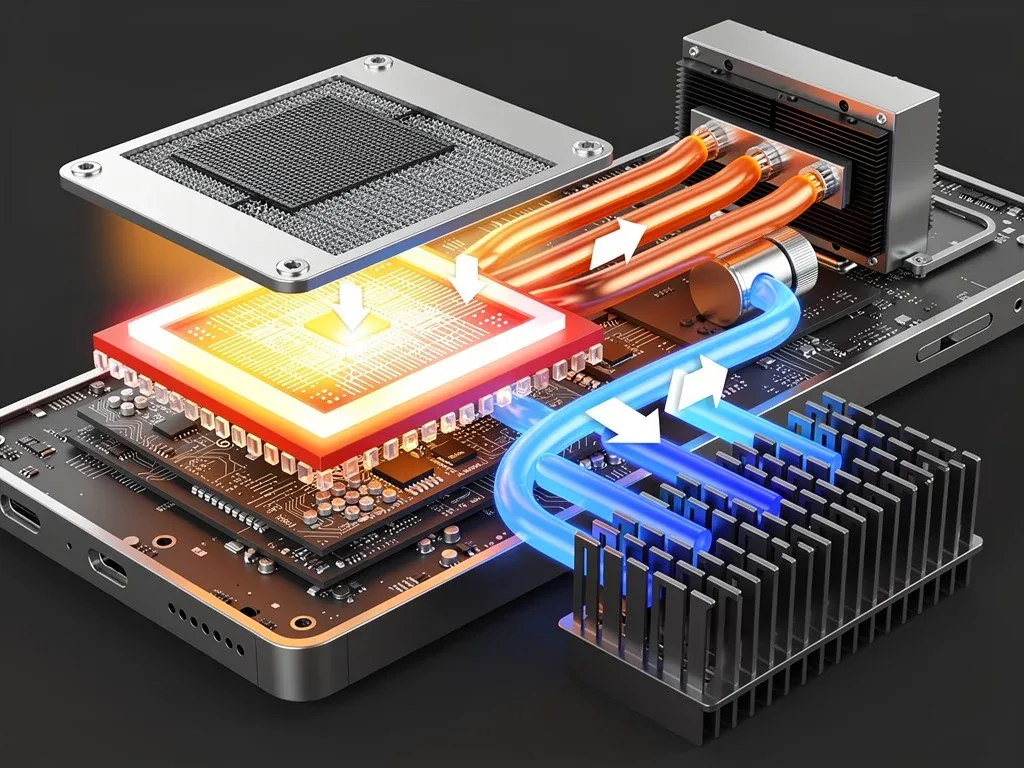
Upgrading or improving existing cooling components can yield immediate and tangible results. This includes everything from enhancing the thermal interface material (TIM) to investing in more advanced heat sinks or even liquid cooling systems. Each component plays a crucial role in the overall thermal pathway, from the chip surface to the ambient air.
Advanced Cooling Solutions
For desktops, custom liquid cooling loops or high-performance air coolers can dramatically improve heat dissipation. In laptops and mobile devices, where space is at a premium, the focus shifts to optimizing existing components and leveraging innovative materials.
- Thermal Interface Material (TIM): Replacing stock thermal paste with high-conductivity liquid metal or premium thermal pads can significantly improve heat transfer from the chip to the heatsink.
- Heatsink Upgrades: Larger or more efficiently designed heatsinks with greater surface area can dissipate heat more effectively. Materials like copper and aluminum alloys are common, but advanced designs integrate vapor chambers for faster heat spreading.
- Fan Enhancements: Upgrading to higher RPM fans or those with better static pressure can increase airflow across heatsinks, leading to lower temperatures.
Considering the compact nature of devices housing 3nm chips, a holistic approach to hardware optimization is essential. This might involve cleaning dust from vents, ensuring proper airflow within a chassis, or even exploring external cooling accessories for laptops. Every degree Celsius reduction contributes to preventing throttling and unlocking performance.
Software-Based Optimization Strategies
Beyond hardware, software plays an equally critical role in managing chip temperatures and preventing throttling. Intelligent software optimization can fine-tune power delivery, clock speeds, and even workload distribution to maintain optimal thermal conditions. These strategies are often more accessible to the average user and can provide substantial performance gains without requiring physical modifications.
Modern operating systems and chip manufacturers provide various tools and utilities for performance tuning. These range from simple power profiles to advanced overclocking and undervolting software. The key is to understand how these tools interact with your hardware and to apply adjustments judiciously to avoid instability.
Power Management and Undervolting
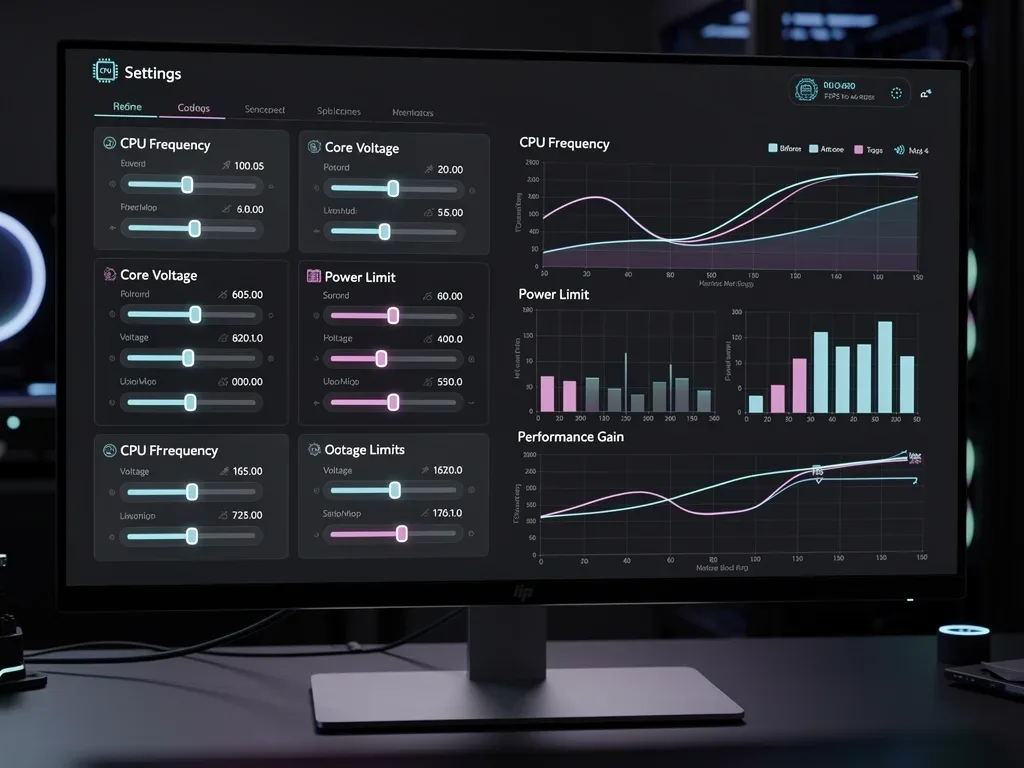
Adjusting power settings is one of the most effective software strategies. By reducing the voltage supplied to the CPU (undervolting), you can significantly lower heat generation without a proportional loss in performance. This is because chips often receive more voltage than strictly necessary to ensure stability across a wide range of manufacturing variations.
- Operating System Power Plans: Customizing power plans to balance performance and cooling can prevent unnecessary power draw.
- BIOS/UEFI Settings: Many motherboards offer advanced options to manually adjust CPU voltage and power limits.
- Third-Party Utilities: Tools like ThrottleStop or Intel XTU (Extreme Tuning Utility) allow for precise control over CPU voltage, clock speeds, and power limits, enabling effective undervolting.
Implementing these software tweaks requires careful testing and monitoring. Small, incremental changes are recommended, followed by stability tests to ensure the system remains reliable. The goal is to find the sweet spot where performance is maximized while temperatures remain within safe operating limits, effectively helping to stop thermal throttling.

Environmental Factors and Best Practices
While hardware and software optimizations are crucial, the environment in which your device operates also significantly influences thermal performance. Overlooking these external factors can negate the benefits of internal tweaks, making it harder to stop thermal throttling effectively. A cool, well-ventilated environment is fundamental for any high-performance system.
Maintaining an optimal ambient temperature and ensuring proper airflow around your device can dramatically reduce the burden on its internal cooling systems. This is particularly true for laptops and compact desktops, where heat can easily build up if not adequately dissipated from the immediate surroundings.
Optimizing Your Workspace
Simple changes to your workspace can yield surprising improvements in thermal management. These best practices are often overlooked but contribute significantly to sustained performance.
- Ambient Temperature: Operating your device in a cooler room reduces the starting temperature for the chip, giving it more headroom before throttling.
- Ventilation: Ensure that all air intake and exhaust vents on your device are unobstructed. Avoid placing laptops on soft surfaces like beds or carpets that can block airflow.
- Device Placement: Elevating laptops with stands can improve airflow underneath, while ensuring desktops have adequate space around their chassis for proper circulation.
Regular maintenance, such as cleaning dust from fans and heatsinks, is also vital. Dust acts as an insulator, trapping heat and hindering the efficiency of cooling components. A clean system is a cool system, and consistent attention to these environmental and maintenance practices will help preserve your 3nm chip's performance over its lifespan.
Monitoring and Testing Your Optimizations
Implementing optimization tweaks without proper monitoring is akin to flying blind. To truly stop thermal throttling and recover performance, you need reliable tools to track temperatures, clock speeds, and performance metrics. This iterative process of tweaking, monitoring, and testing ensures that your adjustments are effective and stable.
Various software applications are available to provide real-time data on your chip's performance and thermal state. These tools are indispensable for identifying bottlenecks, validating changes, and fine-tuning your system for optimal results. Without accurate data, it's impossible to confirm whether your efforts are truly making a difference.
Essential Monitoring Tools
A combination of hardware monitoring and stress testing software is recommended to get a comprehensive picture of your system's behavior under load.
- Temperature Monitoring: Tools like HWMonitor, Core Temp, or SpeedFan provide real-time CPU and GPU temperatures.
- Performance Benchmarks: Applications such as Cinebench, 3DMark, or Prime95 can push your CPU and GPU to their limits, revealing throttling behavior.
- Logging Software: Some utilities can log performance data over time, allowing you to analyze trends and identify intermittent throttling issues.
When testing, it's crucial to simulate real-world workloads that typically trigger thermal throttling. Run your favorite demanding games, video rendering tasks, or scientific simulations while monitoring temperatures and clock speeds. Observe how long it takes for throttling to occur, and note the extent of the performance reduction. This data will guide your further optimization efforts, helping you refine your settings until you achieve the desired balance of performance and thermal stability.
Future Trends in Thermal Management for 3nm Chips
As semiconductor technology continues its relentless march forward, the challenges of thermal management for 3nm chips and beyond will only intensify. Researchers and engineers are constantly exploring innovative solutions to keep pace with increasing power densities and shrinking form factors. The future of cooling promises to be as revolutionary as the chips themselves, offering new avenues to stop thermal throttling.
Emerging technologies aim to address heat at its source, improve heat transfer efficiency, and even leverage exotic materials. These advancements will be critical for unlocking the full potential of next-generation processors and ensuring their long-term reliability in an ever-more demanding computing landscape.
Next-Generation Cooling Technologies
The horizon of thermal management is filled with exciting prospects, ranging from novel materials to entirely new cooling paradigms.
- Advanced Vapor Chambers and Heat Pipes: Further refinements in two-phase cooling, utilizing micro-channels and advanced wicking structures for more efficient heat transport.
- Liquid Metal Thermal Solutions: Increased adoption of liquid metal compounds not just as TIM, but integrated into chip packages for superior heat conduction.
- 3D Chip Stacking with Integrated Cooling: Designing cooling pathways directly into the vertical stack of 3D-integrated chips, allowing heat to be removed from multiple layers simultaneously.
- Microfluidic Cooling: Implementing tiny channels within the chip itself to circulate dielectric fluids, directly cooling hotspots at the transistor level.
Beyond these hardware innovations, intelligent software will continue to evolve, leveraging AI and machine learning to predict thermal behavior and dynamically adjust chip parameters in real-time. This proactive approach will allow systems to anticipate and prevent throttling before it even impacts performance, ushering in an era of truly adaptive and efficient computing. The synergistic development of both hardware and software will define the next generation of high-performance, thermally optimized devices.
| Optimization Category | Brief Description |
|---|---|
| Hardware Upgrades | Improve cooling with better thermal paste, heatsinks, or liquid cooling systems for efficient heat dissipation. |
| Software Tuning | Utilize undervolting and power management settings to reduce voltage and heat generation without significant performance loss. |
| Environmental Control | Maintain a cool, well-ventilated workspace and ensure proper airflow around devices to prevent heat buildup. |
| Monitoring & Testing | Regularly use tools to track temperatures and performance, validating optimizations and identifying further areas for improvement. |
Frequently Asked Questions About Thermal Throttling
What exactly is thermal throttling and why is it a concern for 3nm chips?▼Thermal throttling is a built-in safety feature where a chip reduces its performance to prevent overheating and potential damage. For 3nm chips, their incredibly dense design means more heat generated in a smaller area, making them particularly susceptible to throttling, thus limiting their peak performance.
Can I really recover 18% compute performance by addressing thermal throttling?▼Yes, recovering up to 18% or more of compute performance is a realistic goal. This figure represents the potential gains achievable through a combination of effective hardware and software optimization tweaks, preventing the chip from automatically reducing its clock speeds under load.
Are hardware upgrades or software tweaks more important for preventing throttling?▼Both hardware upgrades and software tweaks are crucial for comprehensive thermal management. Hardware improvements like better cooling systems provide the physical capacity for heat dissipation, while software adjustments such as undervolting fine-tune power delivery to reduce heat generation at the source. A combined approach yields the best results.
Is undervolting safe for my 3nm chip, and how do I do it?▼Undervolting can be safe if done carefully, as it reduces voltage without necessarily compromising stability. It helps lower heat and power consumption. You can typically undervolt using BIOS/UEFI settings or third-party utilities like ThrottleStop, making small incremental changes and thoroughly testing for stability after each adjustment.
What simple environmental changes can I make to help prevent thermal throttling?▼Simple environmental changes include ensuring good airflow around your device, elevating laptops with stands, and keeping your workspace cool. Regularly cleaning dust from vents and fans is also vital, as dust acts as an insulator and hinders effective heat dissipation, contributing to higher operating temperatures.
Conclusion
The journey to stop thermal throttling on modern 3nm chips is a multifaceted endeavor that combines astute hardware management, intelligent software tuning, and mindful environmental practices. By understanding the mechanisms behind overheating and proactively implementing the optimization tweaks discussed, users can unlock a significant portion of their device's untapped compute performance, potentially recovering up to 18% or more. This not only enhances the immediate user experience by providing sustained high performance but also contributes to the longevity and reliability of these advanced components. As technology continues to evolve, a holistic approach to thermal management will remain paramount in harnessing the full power of cutting-edge semiconductors.
