WireGuard UDP with Dynamic Port Hopping: Bypass DPI
Advertisements
Configuring WireGuard over UDP with dynamic port hopping effectively bypasses deep packet inspection (DPI) by continuously altering the communication port, making it significantly harder for network monitoring systems to identify and block VPN traffic, thus enhancing privacy and censorship resistance.
In an era where digital surveillance and censorship are increasingly prevalent, safeguarding your online privacy has become paramount. This guide delves into how to configure WireGuard dynamic port hopping over UDP, a powerful technique designed to bypass deep packet inspection (DPI) and secure your internet traffic from prying eyes.
Understanding deep packet inspection and its challenges
Deep Packet Inspection (DPI) is a form of computer network packet filtering that examines the data part (and header) of packets passing through a checkpoint. It's a sophisticated technology used by internet service providers (ISPs), governments, and corporations to monitor, filter, or even block internet traffic based on its content or protocol. While DPI has legitimate uses, such as network security and parental controls, it also poses a significant threat to online privacy and freedom, particularly in regions with restrictive internet policies.
DPI works by analyzing the characteristics of network traffic to identify patterns associated with specific applications or protocols. For instance, it can detect if traffic is encrypted using a known VPN protocol like OpenVPN or L2TP, even if it's disguised. Once identified, this traffic can be throttled, blocked, or flagged for further scrutiny. This is where traditional VPNs often fall short; their predictable traffic patterns can be easily detected by advanced DPI systems.
How DPI identifies VPN traffic
- Protocol Signatures: DPI systems have databases of known protocol signatures.
- Port Usage: Many VPNs use standard ports, making them easy targets for blocking.
- Traffic Patterns: Consistent encryption patterns or traffic volume can indicate VPN use.
The challenge lies in creating VPN traffic that doesn't conform to these identifiable patterns, making it indistinguishable from regular, unencrypted internet traffic. This is crucial for users in environments where VPN usage is restricted or illegal, or simply for those who prioritize maximum privacy.
In conclusion, DPI presents a formidable obstacle to online anonymity and access. Overcoming it requires innovative approaches that go beyond conventional VPN configurations, leading us to solutions like dynamic port hopping with WireGuard.
Introducing WireGuard: A modern VPN protocol
WireGuard is a relatively new, high-performance VPN protocol celebrated for its simplicity, speed, and strong cryptographic foundations. Unlike older protocols that are often complex and prone to vulnerabilities, WireGuard is designed to be lean and efficient, comprising only about 4,000 lines of code. This minimal codebase makes it easier to audit, reducing the attack surface and increasing its overall security posture.
Its core strength lies in its modern cryptographic primitives, including Noise protocol framework, Curve25519 for key exchange, ChaCha20 for symmetric encryption, Poly1305 for data authentication, and BLAKE2s for hashing. This combination ensures robust security without compromising on speed, making it an ideal choice for bypassing restrictive network environments.
Key advantages of WireGuard
- Simplicity: Minimal codebase for easier auditing and fewer bugs.
- Performance: Faster connection times and higher throughput compared to older VPNs.
- Security: Employs state-of-the-art cryptography.
- Efficiency: Less resource-intensive on both client and server.
WireGuard operates primarily over UDP (User Datagram Protocol), which is generally faster than TCP (Transmission Control Protocol) for real-time applications and often less susceptible to certain types of blocking. However, relying solely on a fixed UDP port can still make WireGuard traffic identifiable by advanced DPI systems. This is where dynamic port hopping becomes essential.
WireGuard's elegance and efficiency make it an excellent foundation for building a robust DPI evasion strategy. By understanding its fundamental design, we can then explore how to augment its capabilities to achieve true stealth and resilience against network surveillance.
The concept of dynamic port hopping
Dynamic port hopping is a technique designed to circumvent network filtering and deep packet inspection by constantly changing the communication port used by an application. Instead of relying on a single, fixed port that can be easily identified and blocked by DPI systems, port hopping cycles through a range of ports, making it much harder for automated systems to consistently detect and block the traffic. This strategy introduces an element of unpredictability that can effectively mask the true nature of the data.
When applied to a VPN like WireGuard, dynamic port hopping means that the UDP port used for the encrypted tunnel is not static. At regular, or even random, intervals, the client and server agree to switch to a new port from a predefined or dynamically generated list. This continuous shifting makes it difficult for DPI to maintain a blockade, as by the time a port is identified and blocked, the VPN connection has already moved to another.
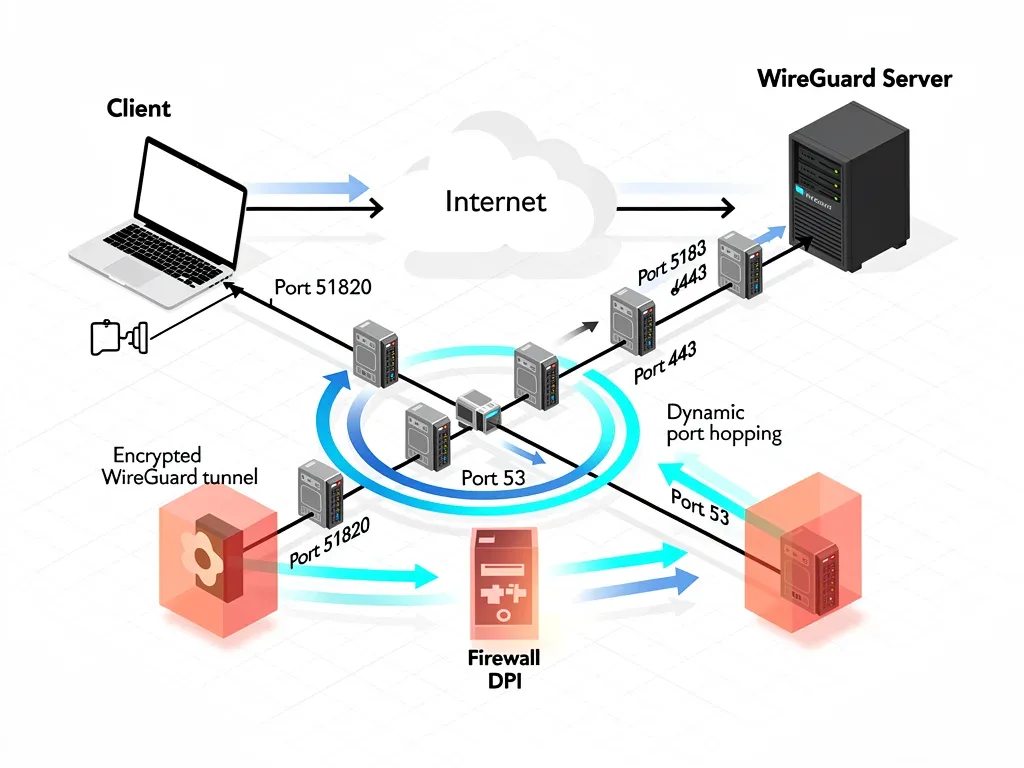
Dynamic port hopping adds a crucial layer of obfuscation. While DPI might still be able to analyze packet contents, the constantly changing port makes it challenging to establish a persistent "signature" for the WireGuard connection based on port usage alone. This forces DPI systems to work harder and often less effectively, significantly increasing the chances of bypassing detection.
In essence, dynamic port hopping transforms a predictable target into a moving one, making it an elusive challenge for even sophisticated DPI mechanisms. This technique, when combined with WireGuard's inherent security, provides a robust defense against network monitoring.
Prerequisites for configuration
Before diving into the technical configuration of WireGuard dynamic port hopping, it's crucial to ensure you have the necessary prerequisites in place. A well-prepared environment will streamline the setup process and minimize potential issues. This includes having a dedicated server, understanding basic Linux commands, and possessing administrative access.
First and foremost, you will need a Virtual Private Server (VPS) or a dedicated server that you control. This server will act as your WireGuard endpoint. It's recommended to choose a VPS provider that offers good network connectivity and is located in a jurisdiction favorable to privacy. Ensure your server runs a recent version of a Linux distribution, such as Ubuntu, Debian, or CentOS, as most of the configuration will involve command-line operations.
Essential prerequisites
- Server Access: Root or sudo access to a Linux-based VPS or dedicated server.
- Basic Linux Skills: Familiarity with command-line operations (e.g., SSH, text editors like nano or vim).
- WireGuard Installation: WireGuard must be installed on both the server and client devices.
- Firewall Knowledge: Understanding of firewall rules (e.g., ufw, iptables) is beneficial.
You'll also need to have WireGuard installed on both your server and all client devices (e.g., Windows, macOS, Linux, Android, iOS) that will connect to your VPN. The installation process is generally straightforward and well-documented for most operating systems. Additionally, a basic understanding of firewall configurations (like ufw or iptables) will be helpful for ensuring proper network traffic flow and security.
Having these prerequisites in order will set a solid foundation for successfully implementing dynamic port hopping, allowing you to focus on the specific WireGuard and scripting configurations rather than troubleshooting basic infrastructure problems.
Step-by-step server-side configuration for WireGuard and port hopping
Configuring the server side for WireGuard dynamic port hopping involves several key steps: installing WireGuard, generating keys, setting up the configuration file, and implementing the port hopping script. This process ensures your server is ready to accept connections on changing UDP ports and route traffic securely.
First, install WireGuard on your Linux server. Most distributions have WireGuard available in their official repositories. For example, on Ubuntu, you would typically use sudo apt update && sudo apt install wireguard. Once installed, generate the server's private and public keys using wg genkey | tee privatekey | wg pubkey > publickey. Keep your private key secure and note your public key.
Server configuration steps
- Install WireGuard: Ensure WireGuard is installed and up to date.
- Generate Keys: Create server private and public keys.
- Configure
wg0.conf: Set up the WireGuard interface with initial port. - Implement Port Hopping Script: Create a script to change the port and update firewall rules.
- Automate Script: Use cron or systemd to schedule port changes.
Next, create your WireGuard configuration file, typically located at /etc/wireguard/wg0.conf. Initially, define an interface with a fixed ListenPort. This port will be dynamically changed later by our script. An example configuration might look like this:
[Interface]
PrivateKey = <SERVER_PRIVATE_KEY>
Address = 10.0.0.1/24
ListenPort = 51820
PostUp = iptables -A FORWARD -i %i -j ACCEPT; iptables -A FORWARD -o %i -j ACCEPT; iptables -t nat -A POSTROUTING -o eth0 -j MASQUERADE
PostDown = iptables -D FORWARD -i %i -j ACCEPT; iptables -D FORWARD -o %i -j ACCEPT; iptables -t nat -D POSTROUTING -o eth0 -j MASQUERADE
The core of dynamic port hopping lies in a script that will periodically update the ListenPort in wg0.conf and restart the WireGuard interface, along with adjusting firewall rules. This script should generate a random port within a specified range (e.g., 1024-65535, avoiding common service ports) and apply it. You'll need to ensure your firewall (e.g., ufw or iptables) allows traffic on these dynamically changing ports.
A simple shell script using shuf and sed can achieve this. For instance, to select a random port and update the configuration:
#!/bin/bash

WG_CONFIG="/etc/wireguard/wg0.conf"
PORT_RANGE_START=10000
PORT_RANGE_END=60000

NEW_PORT=$(shuf -i ${PORT_RANGE_START}-${PORT_RANGE_END} -n 1)

sed -i "s/^ListenPort = .*/ListenPort = ${NEW_PORT}/" "$WG_CONFIG"

wg-quick down wg0
wg-quick up wg0

# Update firewall rules if necessary (e.g., ufw delete allow old_port/udp; ufw allow new_port/udp)
Finally, automate this script using a cron job. For example, to change the port every 30 minutes, add an entry like */30 * * * * /path/to/your/port_hopping_script.sh >> /var/log/wireguard_port_hopping.log 2>&1 to your crontab (crontab -e). This ensures continuous port changes, making DPI bypass more effective.
This comprehensive server-side setup provides the foundation for a resilient WireGuard connection that actively evades deep packet inspection through dynamic port changes.
Client-side configuration and synchronization
Once the server is configured for WireGuard dynamic port hopping, the client-side setup is equally crucial for maintaining a stable and secure connection. The primary challenge on the client is to synchronize with the server's dynamically changing port. This typically involves a mechanism to frequently update the client's WireGuard configuration with the server's current listening port.
For most client devices, the WireGuard configuration file will need to be updated. The Endpoint line in the client's .conf file specifies the server's IP address and port. Since the port changes, the client must be aware of the new port to establish a connection. This can be achieved through various methods, depending on the client's operating system and the level of automation desired.
Client synchronization methods
- Manual Update: Periodically update the client configuration file with the current server port. (Least practical)
- DNS-based Update: Use a dynamic DNS record that the server updates with its current port, and the client queries.
- API/Scripted Update: Server exposes a simple API or file that clients can fetch for the current port.
- Custom Client Application: Develop a client application that communicates with the server for port updates.
A common and relatively simple approach for desktop clients (Linux, macOS, Windows) involves a small script that fetches the current port from the server. The server can expose its current port in a simple text file accessible via HTTP, or through a dedicated API endpoint. The client script would then periodically download this information, update its local WireGuard configuration, and restart the WireGuard interface.
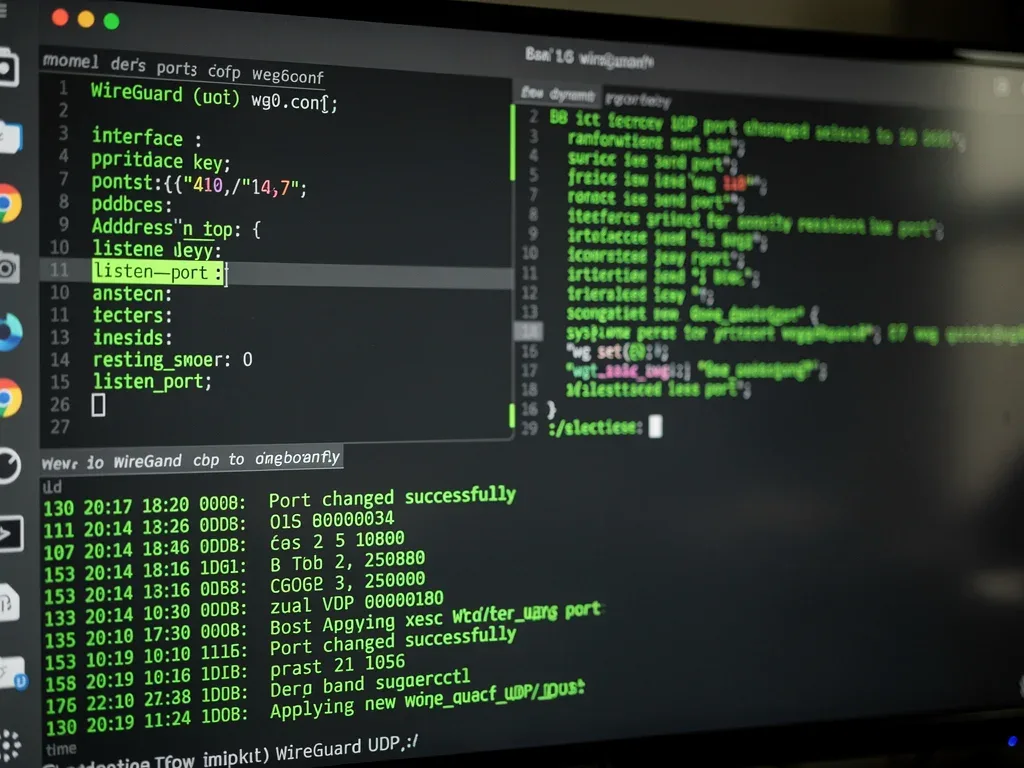
For mobile clients (Android, iOS), direct scripting can be more challenging. Some advanced WireGuard clients might offer scripting capabilities, or you might need to manually update the configuration if the port changes infrequently. For more robust solutions, consider using a dynamic DNS service where the server updates a TXT record with its current port, and the client's endpoint is configured to query this DNS record.
Example client-side wg0.conf snippet:
[Interface]
PrivateKey = <CLIENT_PRIVATE_KEY>
Address = 10.0.0.2/24
DNS = 1.1.1.1

[Peer]
PublicKey = <SERVER_PUBLIC_KEY>
Endpoint = <SERVER_IP_OR_DNS>:<CURRENT_SERVER_PORT>
AllowedIPs = 0.0.0.0/0, ::/0
PersistentKeepalive = 25
The <CURRENT_SERVER_PORT> part is what needs to be dynamically updated. Automating this update on the client side is key to a seamless user experience and effective DPI bypass. Without proper synchronization, the client will fail to connect as soon as the server's port changes, rendering the entire dynamic port hopping strategy ineffective.
Therefore, a reliable client-side synchronization mechanism is just as vital as the server-side port hopping script to ensure continuous connectivity and evasion of deep packet inspection.
Testing and troubleshooting your setup
After configuring both the server and client for WireGuard dynamic port hopping, thorough testing is essential to ensure everything works as expected. Troubleshooting is an inevitable part of any complex network setup, and being prepared for it can save significant time and frustration. A systematic approach to verification will help confirm your DPI bypass strategy is effective.
Start by verifying basic WireGuard connectivity without port hopping enabled. Ensure your client can connect to the server on a fixed port. This confirms that your keys, IP addresses, and basic firewall rules are correct. Once this baseline is established, activate the port hopping script on the server and the synchronization mechanism on the client.
Common troubleshooting steps
- Check WireGuard status: Use
wg showon both server and client to verify connection and key exchange. - Inspect logs: Review server and client logs for connection errors or script execution issues.
- Firewall rules: Ensure dynamic ports are correctly opened/closed by the script.
- Port verification: Use tools like
netstat -tulnon the server to confirm WireGuard is listening on the expected port. - Client synchronization: Verify the client is successfully updating its endpoint port.
During testing, monitor the server's current listening port using sudo ss -tuln | grep wg0 or sudo netstat -tuln | grep 51820 (adjust port as needed). Observe if the port changes as per your cron schedule. On the client, check if the Endpoint in its configuration file is updated correctly after each port hop. If the client fails to connect, review the server logs (e.g., journalctl -u wg-quick@wg0) for any errors related to key exchange or network issues.
Firewall rules are a frequent source of problems. Ensure your script correctly adds and removes rules for the new and old ports, respectively. If your server is behind a NAT or another firewall, ensure those are also configured to allow traffic on the dynamic port range. Testing with a tool like tcpdump can help you see if packets are actually reaching your server on the expected ports.
To specifically test DPI bypass, if possible, connect from a network where DPI is known to be active. Monitor network traffic from that vantage point to see if your WireGuard connection remains undetected or unblocked. This might require access to network monitoring tools or collaborating with someone in such an environment.
By diligently testing each component and systematically troubleshooting any issues, you can build confidence in your dynamic port hopping setup, ensuring a robust and resilient VPN connection that effectively bypasses deep packet inspection.
| Key Aspect | Brief Description |
|---|---|
| Deep Packet Inspection (DPI) | Advanced network filtering that inspects packet content to identify and control traffic, often used for censorship or surveillance. |
| WireGuard Protocol | A modern, fast, and secure VPN protocol with a small codebase, designed for high performance and strong cryptography over UDP. |
| Dynamic Port Hopping | Technique where the communication port continuously changes, making it difficult for DPI systems to consistently identify and block traffic. |
| Client-Server Sync | Crucial for clients to dynamically update their WireGuard endpoint with the server's current listening port to maintain connectivity. |
Frequently asked questions about WireGuard and port hopping
What is deep packet inspection (DPI) and why is it a concern?▼DPI is a network technology that inspects data packets' content, not just headers, to identify traffic types or block specific applications. It's a concern because it can be used by ISPs or governments for surveillance, censorship, or throttling, thereby compromising user privacy and internet freedom.
How does dynamic port hopping help bypass DPI?▼Dynamic port hopping continuously changes the UDP port used by WireGuard. This makes it challenging for DPI systems, which often rely on fixed port patterns or known port usage, to consistently identify, filter, or block the VPN traffic, effectively making the connection more elusive.
Is WireGuard inherently resistant to DPI?▼WireGuard's modern cryptography and lean design offer good security, but its default fixed UDP port can still be detected by advanced DPI. Dynamic port hopping enhances WireGuard's resistance by introducing unpredictability in port usage, making it much harder to pinpoint and block.
What are the risks of using dynamic port hopping?▼The primary risk is potential connection instability if client and server synchronization fails. Misconfigurations can also lead to connectivity issues or expose the VPN traffic. It requires careful setup and monitoring, and might not be suitable for all users due to its technical complexity.
Can dynamic port hopping be detected by all DPI systems?▼While dynamic port hopping significantly reduces the chances of detection, no method is 100% foolproof against all DPI systems, especially those using advanced behavioral analysis. However, it dramatically increases the effort and complexity required for detection, making it highly effective against most common DPI implementations.
Conclusion
The journey to configure WireGuard dynamic port hopping over UDP for bypassing deep packet inspection is a testament to the ongoing cat-and-mouse game between privacy advocates and surveillance technologies. By combining WireGuard's inherent efficiency and robust cryptography with the unpredictable nature of dynamic port changes, users can significantly enhance their ability to circumvent restrictive network environments and protect their digital freedoms. While no solution offers absolute immunity, this advanced configuration provides a formidable defense against most DPI implementations, empowering individuals to maintain their privacy and access uncensored information in an increasingly monitored digital landscape. The effort invested in setting up and maintaining such a system is a worthwhile endeavor for those prioritizing robust online security and freedom.
