10Gbps SFP+ Home Lab Setup: Under $600 Hardware Guide
Advertisements
Setting up a 10Gbps SFP+ home lab under $600 involves carefully selecting affordable SFP+ switches, network interface cards, and cabling to achieve high-speed network performance for demanding home applications.
Are you looking to supercharge your home network without breaking the bank? This comprehensive guide will walk you through the process of establishing a powerful 10Gbps SFP+ home lab, detailing the essential hardware and configuration steps, all while keeping your budget under $600.
Understanding 10Gbps SFP+ Technology
Before diving into the hardware specifics, it's crucial to grasp what 10Gbps SFP+ technology entails and why it's becoming increasingly relevant for advanced home networking. This standard offers a significant leap in data transfer speeds compared to traditional Gigabit Ethernet, enabling faster file transfers, smoother media streaming, and more responsive virtual machine environments within your home lab.
SFP+ (Small Form-Factor Pluggable Plus) transceivers are hot-pluggable optical or copper modules used for 10 Gigabit Ethernet applications. They are smaller and consume less power than older XFP modules, making them ideal for compact and energy-efficient home setups. While often associated with enterprise environments, the plummeting cost of SFP+ hardware has made it accessible for enthusiasts.
Why 10Gbps for Home?
Many users question the necessity of 10Gbps in a home setting, but its benefits are becoming increasingly apparent with modern applications. Large file transfers, such as 4K video editing, game development, or backing up extensive media libraries, are dramatically accelerated. Furthermore, with multiple devices simultaneously accessing network-attached storage (NAS) or virtual machines, a 10Gbps backbone prevents bottlenecks.
- Faster File Transfers: Move terabytes of data in minutes, not hours.
- Improved NAS Performance: Experience near-local drive speeds when accessing network storage.
- Virtualization Efficiency: Run multiple demanding virtual machines with seamless network access.
- Future-Proofing: Prepare your network for upcoming bandwidth-intensive applications and services.
In essence, 10Gbps SFP+ provides a robust foundation for a high-performance home network that can handle today's demanding tasks and scale for future needs. The transition from 1Gbps to 10Gbps is not merely a tenfold increase in speed; it's a fundamental shift in how you interact with your data and networked devices, unlocking new possibilities for productivity and entertainment within your home lab environment.
Essential Hardware Components on a Budget
Building a 10Gbps SFP+ home lab for under $600 requires careful selection of components, often leveraging used or refurbished enterprise-grade hardware. The key is to find reliable, cost-effective SFP+ switches, network interface cards (NICs), and appropriate cabling. Prioritizing components that offer the best performance-to-price ratio is paramount for staying within budget.
The core components you'll need include an SFP+ switch, at least two SFP+ NICs (one for your main workstation and one for your server/NAS), and the necessary SFP+ transceivers and cables. Each of these components has budget-friendly options available if you know where to look, such as online marketplaces for used equipment or specialized IT surplus stores. This approach allows enthusiasts to access enterprise-level performance without the associated enterprise price tag.
Finding Affordable SFP+ Switches
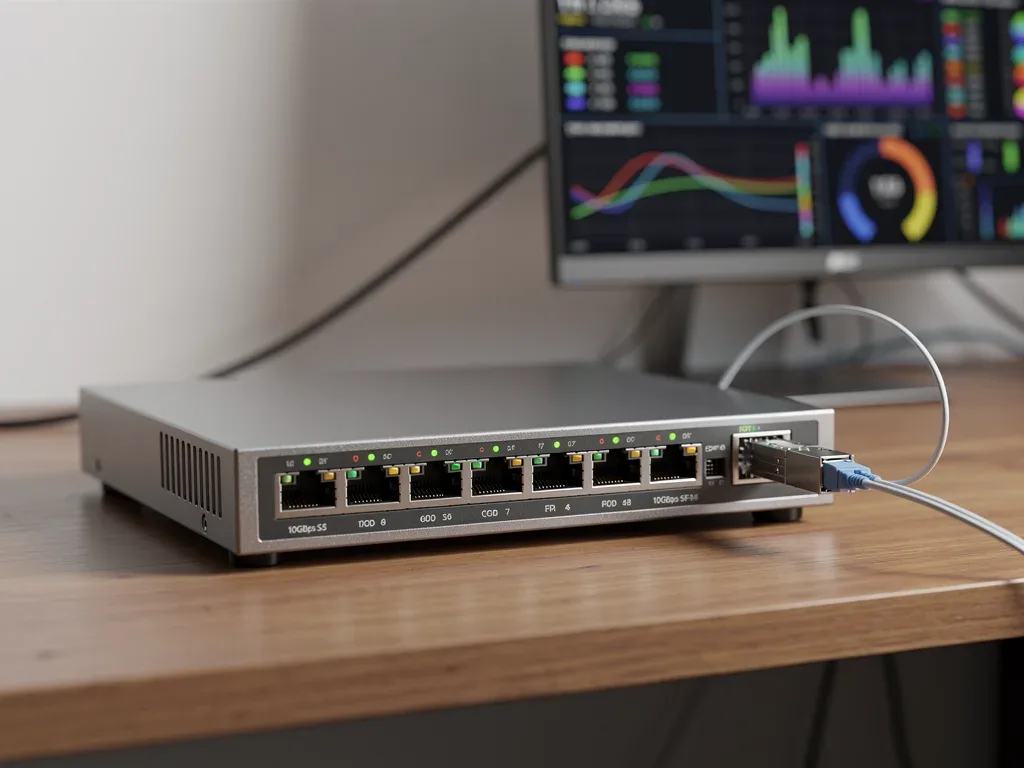
The SFP+ switch is the central piece of your 10Gbps network. New, consumer-grade 10Gbps switches can be expensive, but older enterprise switches are often available at a fraction of their original cost. Look for models from reputable brands like Brocade, Cisco, or Mikrotik on platforms like eBay, Amazon Renewed, or local electronics recyclers.
- Brocade ICX 6450/6610: These switches are popular in the homelab community due to their robust features, multiple 10Gbps SFP+ ports, and often low price points. Ensure you check for fan noise and power consumption, as some older enterprise switches can be quite loud and power-hungry.
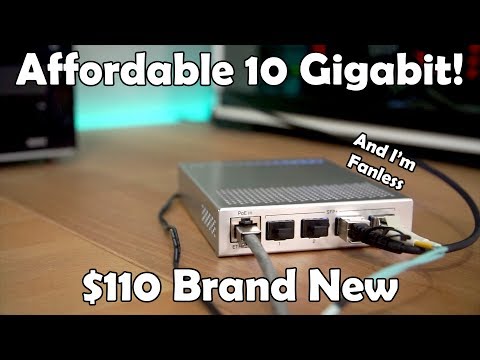
- Mikrotik CRS3xx Series: Mikrotik offers a range of affordable 10Gbps SFP+ switches (e.g., CRS305, CRS309) that are new and provide excellent value. They are typically fanless or have quiet fans, making them suitable for home environments.
- Used Cisco Catalyst Switches: While some older Cisco switches can be complex to configure, certain models with SFP+ ports can be found cheaply. Research specific models to ensure they meet your needs for port count and management features.
When purchasing a used switch, always verify its working condition, port functionality, and included accessories. Factor in potential shipping costs and any necessary power adapters. Opting for a switch with at least 4 SFP+ ports provides flexibility for future expansion within your home lab.
Selecting SFP+ Network Interface Cards (NICs)
Once you have your switch, the next critical step is to equip your computers or servers with SFP+ NICs. These cards allow your devices to connect to the 10Gbps network. Similar to switches, new SFP+ NICs can be costly, but the used market offers excellent value. Look for PCIe x8 or x4 cards that are compatible with your system's available slots.
The compatibility of the NIC with your operating system and motherboard is paramount. Most modern operating systems, including Windows, Linux, and various hypervisors (like Proxmox or ESXi), have built-in drivers for common SFP+ NICs. However, it's always wise to verify driver availability and compatibility before making a purchase, especially for older or less common models. This ensures a smooth installation and reliable performance within your 10Gbps SFP+ home lab.
Popular Budget-Friendly SFP+ NICs
Intel and Mellanox are two of the most trusted manufacturers for SFP+ NICs, and their older models are widely available used.
- Intel X520-DA1/DA2: These are single-port (DA1) or dual-port (DA2) SFP+ NICs that are highly regarded for their reliability and broad compatibility. They are often found for $30-$70 on the used market.
- Mellanox ConnectX-2/ConnectX-3: Mellanox cards are known for their excellent performance and low latency. The ConnectX-2 (single port) and ConnectX-3 (single or dual port) can be found for similar prices to the Intel X520 series and are often preferred for server applications.
- Broadcom 57810S: Another solid option, often found in Dell or HP servers, these dual-port SFP+ NICs offer good performance and compatibility.
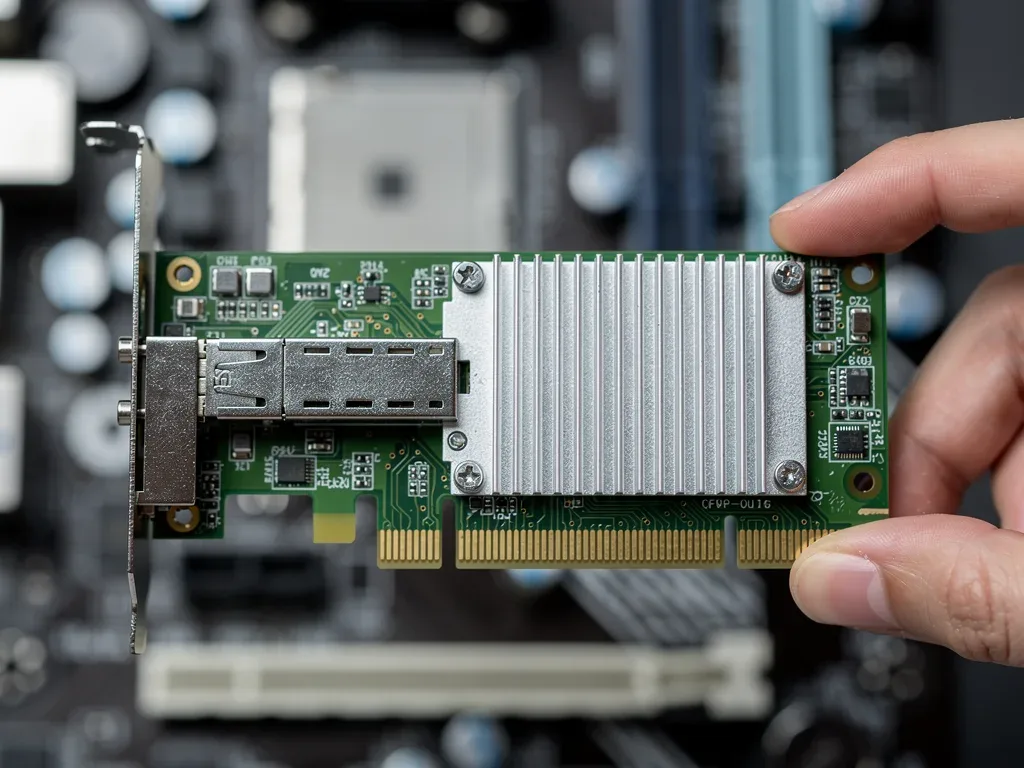
When buying NICs, pay attention to whether they come with full-height or low-profile brackets, ensuring they fit your computer cases. Also, consider power consumption, especially for always-on servers. Most of these cards are relatively low power, but it's worth checking specifications if energy efficiency is a primary concern for your budget-conscious 10Gbps SFP+ home lab.
SFP+ Transceivers and Cabling Choices
With your switch and NICs in hand, the next step is to connect them. This involves selecting the correct SFP+ transceivers and cabling. There are two primary types of SFP+ connections for home use: Direct Attach Copper (DAC) cables and fiber optic cables with optical transceivers. Each has its advantages and disadvantages regarding cost, distance, and ease of use.
The choice between DAC and fiber often comes down to the distance between your devices. For short runs within a rack or between adjacent devices, DAC cables are typically more cost-effective and simpler to manage. For longer distances, especially across rooms or floors, fiber optic solutions become necessary. Understanding these distinctions is crucial for optimizing both performance and budget in your 10Gbps SFP+ home lab setup.
Direct Attach Copper (DAC) Cables
DAC cables are passive or active twinax copper cables with SFP+ connectors permanently attached at both ends. They are the most cost-effective and easiest solution for short-distance connections (typically up to 7 meters).
- Cost-Effective: DAC cables are significantly cheaper than fiber transceivers and fiber optic cables.
- Low Latency: They offer very low latency, which is beneficial for high-performance applications.
- Plug-and-Play: No separate transceivers are needed; simply plug them in.
- Distance Limitation: Best for connections under 7 meters. Beyond this, active DACs or fiber are required.
When purchasing DACs, ensure they are compatible with your chosen switch and NICs. While many are interoperable, some enterprise switches might prefer or require "coded" DACs. Reputable third-party DACs from brands like FS.com or Mellanox are generally good choices and much cheaper than OEM options.
Fiber Optic Cables and Transceivers
For connections longer than 7 meters, or if you need electrical isolation, fiber optic cables with SFP+ optical transceivers are the way to go. There are two main types of fiber for 10Gbps SFP+:
- Multi-Mode Fiber (MMF) with SR Transceivers: Short Reach (SR) transceivers use OM3 or OM4 multi-mode fiber and are suitable for distances up to 300 meters (OM3) or 400 meters (OM4). MMF is thicker and less expensive than single-mode fiber.
- Single-Mode Fiber (SMF) with LR Transceivers: Long Reach (LR) transceivers use single-mode fiber and can extend connections up to 10 kilometers. SMF is thinner and generally more expensive, but offers much greater reach.
For a home lab, MMF with SR transceivers is typically sufficient and more budget-friendly. Again, third-party transceivers are often compatible and much cheaper than OEM parts. Always ensure the transceivers you buy match the fiber type you intend to use (e.g., SR transceivers for MMF). This careful selection of cabling and transceivers is crucial for the physical layer of your 10Gbps SFP+ home lab.
Configuration and Software Setup
Once all your hardware is in place, the next step is to configure your 10Gbps SFP+ home lab. This involves driver installation, basic network configuration on your operating systems, and potentially some advanced settings on your SFP+ switch. While the physical setup is straightforward, the software side ensures optimal performance and stability.
The complexity of configuration can vary depending on your chosen operating systems and the specific features of your SFP+ switch. However, for a basic point-to-point connection or a simple star topology, the process is generally manageable for anyone with fundamental networking knowledge. Patience and attention to detail during this phase will pay off in a smoothly running, high-speed network.
Driver Installation and OS Configuration
For your SFP+ NICs, you'll need to install the appropriate drivers. Most modern operating systems will automatically detect and install drivers for common Intel and Mellanox cards. If not, download them from the manufacturer's website.
- Windows: Download and install the latest drivers from Intel or Mellanox. Once installed, the 10Gbps adapter will appear in Network Connections, where you can configure IP addresses, subnet masks, and other network settings.
- Linux: Many distributions include drivers out-of-the-box. If not, you might need to compile them or install them via package managers. Configure network interfaces using tools like
ip,ifconfig, or network manager utilities. - Hypervisors (Proxmox, ESXi): These typically have drivers built-in for popular NICs. Ensure your NIC is on their hardware compatibility list for best results.
After driver installation, assign static IP addresses to your 10Gbps interfaces for easier management, especially for servers and NAS devices. This ensures consistent connectivity and simplifies troubleshooting within your 10Gbps SFP+ home lab.
Switch Configuration Basics
Most budget-friendly enterprise switches will require some initial configuration. Many older Brocade or Cisco switches come with a command-line interface (CLI) that can be accessed via a console cable (RS-232 to USB adapter). Mikrotik switches can be configured via their WebFig interface or WinBox utility.
- IP Address Assignment: Assign an IP address to the switch management interface.
- VLANs (Optional): If you plan to segment your network, configure VLANs on the switch and corresponding NICs.
- Jumbo Frames: Enable Jumbo Frames (MTU 9000) on your NICs and switch for increased throughput, especially beneficial for large file transfers. Ensure all devices on the 10Gbps link support and are configured for Jumbo Frames.
Consult the specific documentation for your switch model for detailed configuration steps. Online communities and forums are also invaluable resources for finding configuration guides and troubleshooting tips for popular budget switches. Proper switch configuration is key to unlocking the full potential of your 10Gbps SFP+ home lab.
Performance Testing and Optimization
After setting up your 10Gbps SFP+ home lab, the next crucial step is to verify its performance and optimize it for your specific needs. Simply seeing a 10Gbps link light doesn't guarantee you're getting the full speed. Performance testing helps identify bottlenecks and confirm that your investment is delivering the expected results. This phase is about ensuring that theory translates into real-world, high-speed data transfer.
Optimization involves fine-tuning various settings at both the operating system and hardware levels to maximize throughput and minimize latency. This proactive approach not only confirms the efficacy of your setup but also allows you to troubleshoot any unexpected performance issues, ensuring your 10Gbps SFP+ home lab operates at its peak efficiency for all your demanding tasks.
Benchmarking Your Network Speed
Several tools can help you test your 10Gbps network speed:
- iPerf3: This is the go-to tool for network performance testing. Run an iPerf3 server on one machine and a client on another to measure raw TCP and UDP throughput. It's command-line based but provides very accurate results.
- File Transfers: Transfer a large file (several gigabytes) between two machines connected to your 10Gbps network. Monitor the transfer speed using your operating system's task manager or resource monitor. This gives a real-world indication of performance.
- CrystalDiskMark (Windows): While primarily for disk performance, you can use it to test network share speeds, providing insights into your NAS performance over 10Gbps.
When benchmarking, ensure that your storage devices (SSDs are highly recommended) can keep up with the 10Gbps speeds. A slow hard drive will bottleneck your network performance, making it appear as if your 10Gbps link is underperforming. Always test between devices with fast storage.
Optimizing for Maximum Throughput
To get the most out of your 10Gbps SFP+ home lab, consider these optimization tips:
- Jumbo Frames: As mentioned, enable Jumbo Frames (MTU 9000) on all 10Gbps interfaces and your switch. This reduces CPU overhead by sending larger data packets.
- Offloading Features: Ensure features like TCP Segmentation Offload (TSO), Large Send Offload (LSO), and Receive Side Scaling (RSS) are enabled on your NIC drivers. These offload network processing tasks from the CPU to the NIC.
- Latest Drivers/Firmware: Keep your NIC drivers and switch firmware updated to benefit from performance improvements and bug fixes.
- Quality Cables: Use high-quality DACs or fiber optic cables. Cheap, poorly made cables can introduce errors and reduce performance.
- Dedicated Storage: For NAS or server applications, use fast SSDs in RAID configurations (if applicable) to prevent storage from becoming the bottleneck.
Consistent monitoring and periodic testing are essential to maintain optimal performance. By understanding your network's behavior under load and making informed adjustments, you can ensure your 10Gbps SFP+ home lab consistently delivers the high speeds you invested in, providing a seamless experience for all your demanding tasks.
Troubleshooting Common 10Gbps Issues
Even with careful planning, you might encounter issues when setting up your 10Gbps SFP+ home lab. Troubleshooting is a normal part of the process, and understanding common problems can help you quickly resolve them. From link negotiation failures to unexpected speed drops, a systematic approach to diagnosis will save you time and frustration.
The complexity of 10Gbps networking means that problems can arise from various sources, including hardware incompatibility, incorrect configuration, or even faulty cables. By systematically checking each layer of your network, you can pinpoint the root cause and implement an effective solution, ensuring your high-speed network operates reliably within your budget-friendly setup.
No Link or Slow Link Speed
If you're not getting a 10Gbps link, or the link speed is unexpectedly slow, consider these common culprits:
- Incorrect Transceiver/Cable: Ensure your SFP+ transceivers and cables are compatible with each other and with your switch/NICs. For example, using a multi-mode transceiver with single-mode fiber won't work.
- Dirty Fiber Connectors: Even a tiny speck of dust on a fiber connector can prevent a link from establishing. Use proper fiber cleaning tools.
- Driver Issues: Outdated or incorrect drivers for your NIC can cause link negotiation problems. Reinstall or update drivers.
- Switch Port Configuration: Some enterprise switches might require specific port configurations (e.g., speed negotiation, auto-negotiation settings). Check your switch's documentation.
- Faulty Hardware: Although rare, a defective NIC, transceiver, or switch port can be the cause. Try swapping components if you have spares.
Always start by checking the physical layer: ensure cables are seated correctly and transceivers are fully inserted. Then move to driver and software configurations. A methodical approach is often the quickest way to identify the problem in your 10Gbps SFP+ home lab.
Performance Bottlenecks
If you have a 10Gbps link but aren't seeing the expected transfer speeds, the bottleneck is usually elsewhere:
- Storage Speed: The most common bottleneck. If your source or destination drive is a slow HDD, it won't keep up with 10Gbps. Use fast SSDs for testing and critical tasks.
- CPU Utilization: While 10Gbps NICs offload much of the work, very old or low-power CPUs might struggle with the overhead, especially without proper offloading features enabled.
- Software Configuration: Ensure Jumbo Frames are enabled everywhere. Check for any software-based firewalls or security settings that might be inspecting packets and causing slowdowns.
- RAM: Insufficient RAM on a server or NAS can also impact I/O performance, indirectly affecting network speeds.
Isolate the bottleneck by testing components individually. For example, test local disk speeds first, then network speeds between two machines with fast storage. This systematic approach will help you fine-tune your 10Gbps SFP+ home lab for optimal performance and ensure your budget investment is truly delivering value.
Expanding Your 10Gbps Home Lab
Once you have a stable and performing 10Gbps SFP+ home lab, you might consider expanding its capabilities. The modular nature of SFP+ and the availability of budget-friendly components make scaling up relatively straightforward. Expansion can involve adding more devices, integrating advanced networking features, or even extending your high-speed network to other parts of your home, further enhancing your digital infrastructure.
Thinking ahead about future needs can help you make informed decisions about initial purchases, such as opting for a switch with more ports than immediately required. This foresight ensures that your initial investment remains valuable as your home lab evolves, allowing for seamless integration of new hardware and functionalities without a complete overhaul of your 10Gbps SFP+ home lab.
Adding More Devices
If your initial setup connected just two or three devices, expanding means adding more SFP+ NICs to other workstations, servers, or even high-end NAS units. As long as your SFP+ switch has available ports, this is a simple matter of purchasing additional NICs and transceivers/cables.
- Workstations: Equip more desktop PCs with SFP+ NICs for fast local network access.
- Media Servers: Connect your Plex or Jellyfin server directly to 10Gbps for ultra-fast streaming and transcoding.
- Virtualization Hosts: Provide dedicated 10Gbps links to your hypervisor hosts for rapid VM migrations and storage access.
Remember to consider the power consumption of additional NICs, especially if you're adding them to a small form factor PC or a server with limited power supply capacity. Plan your cabling routes carefully to maintain a tidy and efficient setup as your 10Gbps SFP+ home lab grows.
Advanced Network Features
With a 10Gbps switch, you can also explore advanced networking features:
- Link Aggregation (LAG/LACP): Combine multiple 1Gbps or 10Gbps links for increased bandwidth or redundancy to devices that support it (e.g., high-end NAS).
- VLANs for Network Segmentation: Isolate different types of traffic (e.g., IoT devices, guest network, lab network) for improved security and performance.
- Routing: If your switch supports Layer 3 routing, you can configure inter-VLAN routing for more complex network topologies.
- Quality of Service (QoS): Prioritize certain types of traffic (e.g., voice, video) to ensure consistent performance even under heavy network load.
These advanced features can significantly enhance the functionality and security of your 10Gbps SFP+ home lab, turning it into a truly robust and versatile network infrastructure. Experimenting with these settings can provide valuable learning experiences and allow you to tailor your network precisely to your specific requirements, pushing the boundaries of what's possible within a home environment.
| Key Component | Budget Consideration |
|---|---|
| SFP+ Switch | Look for used enterprise switches (Brocade, Cisco) or new Mikrotik models for best value. |
| SFP+ NICs | Intel X520 or Mellanox ConnectX-2/3 are reliable and affordable on the used market. |
| Cabling | DAC cables for short runs (under 7m), MMF with SR transceivers for longer distances. |
| Optimization | Enable Jumbo Frames and NIC offloading features for maximum throughput. |
Frequently Asked Questions About 10Gbps Home Labs
Is a 10Gbps home lab truly necessary for a typical home user?▼While not strictly necessary for basic internet browsing, a 10Gbps home lab significantly benefits users with large media libraries, 4K video editing, game development, or extensive virtualization. It dramatically speeds up file transfers and improves NAS performance, future-proofing your network for bandwidth-intensive applications.
Can I mix and match SFP+ transceivers and cables from different brands?▼Generally, yes. Most SFP+ transceivers and DAC cables adhere to industry standards and are interoperable. However, some enterprise switches might have vendor lock-in, requiring "coded" transceivers. Always check compatibility, especially with third-party options, to ensure seamless integration and avoid connectivity issues.
What are the main advantages of using DAC cables over fiber optic cables for SFP+?▼Direct Attach Copper (DAC) cables are more cost-effective and simpler for short-distance connections (under 7 meters). They offer lower latency and consume less power than fiber optic transceivers. For longer runs or electrical isolation, however, fiber optic cables become the superior choice for your 10Gbps SFP+ home lab.
How can I ensure my storage devices don't bottleneck my 10Gbps network?▼To prevent storage bottlenecks, it's crucial to use fast storage solutions like SSDs for any devices participating in 10Gbps transfers. Traditional HDDs often cannot sustain 10Gbps speeds, leading to significantly reduced real-world performance. Consider RAID configurations with SSDs for critical servers or NAS units.
Are older enterprise 10Gbps SFP+ switches noisy or power-hungry?▼Some older enterprise switches can indeed be noisy due to loud fans and consume more power than modern, consumer-grade alternatives. It's important to research specific models for fan noise levels and typical power consumption before purchasing, especially if the switch will be in a living area or needs to operate continuously.
Conclusion
Building a 10Gbps SFP+ home lab for under $600 is not only achievable but also a highly rewarding endeavor for anyone looking to significantly upgrade their home network. By strategically sourcing used enterprise-grade hardware and carefully selecting budget-friendly new components, you can unlock blazing-fast speeds that transform your digital experience. From lightning-quick file transfers to seamless virtualization, the benefits of a 10Gbps backbone are profound and future-proof your home network. The journey involves understanding the technology, making informed hardware choices, meticulous configuration, and diligent optimization, but the result is a powerful, high-performance network that empowers your most demanding applications. Embrace the challenge, and enjoy the unparalleled speed and efficiency of your new 10Gbps SFP+ home lab.
